

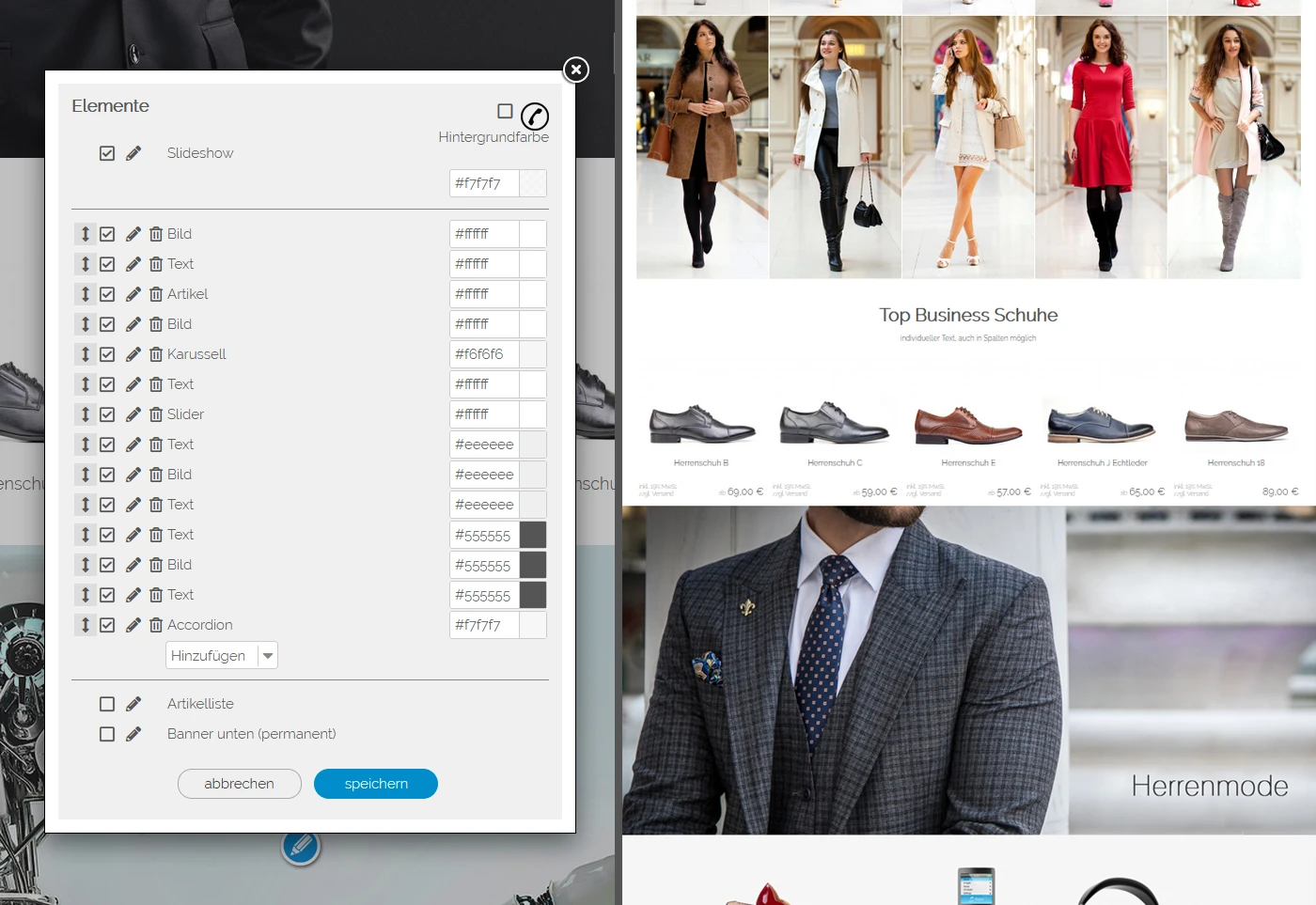


Live designer 2 (expansion stage)
Demo: livedesigner.shopsoftware.com
Price is already including VAT and including installation service You can use these to create various sections. All uploads via Drag'nDro and all sections can be freely sorted vertically within the expansion stage. This gives you many options for your home page.
Sections of text
Create as many text sections as you want and set whether: 1-column, 2-column, 3-column, 4-column, 5-column
Image sections
Create any number of image sections and each with - Screen-wide images - shop-wide images (i.e. 1 image per row) - 2 pictures per row - 3 pictures per row - 4 pictures per row - 5 pictures per row
Very comfortable
The system stores your original photos from which the images are automatically regenerated depending on your settings changes. E.g. if you want to use the formats and cuts of the system or your individual formats. You simply change the way you want it and you don't have to upload your photos again. This is how it works!
Article sections
Create as many article sections as you want, e.g. for
- Top article
- Best offer
- etc.
Carousel section
The carousel can be freely sorted within the expansion stage and can be added once.
Accordion section
The accordion can be freely sorted within the expansion stage and can be added once
Slider section
The graphics slider can be freely sorted within the expansion stage and can be added once
Fullscreen start page photo, full screen start page video, corner rounding, widescreen slideshow are functions of the extended version. This means that the Flow® shop software extended is required for this.
System requirement
- from FLOW shop software III PRO 14
Important NOTE
The live designer level is not language-dependent, i.e. texts are only possible in 1 language.